Friday, May 31, 2013

Nvidia SHIELD

This topic was recommended by Anuj tambwekar:


Nvidia, the company that makes all those powerful GPUs for those gaming machines, is coming up with a new class of gadgets. So what exactly is this? Well it is called the Nvidia SHIELD. It is a portable gaming machine that has a 5 inch high resolution multi touch display and a console like controller. according to Nvidia it runs the latest version of Android Jellybean. Thus, it will be able to play all games on the android market! but thats not all, it will also be able to stream compatible games from your computer! But only computers that have an Nvidia GeForce GTX GPU. For those of you didn't understand that, don't fret! It is basically a kind of processor (graphics card) in your computer manufactured by Nvidia. (most computers don't have it)

 Examples of games it will run, Batman Arkham City, Borderlands 2, Resident Evil 6 etc. For Android, you can acces the playstore for games and also Enjoy two pre-loaded SHIELD-optimized games right out of the box. Under the hood is some serious power. It's got a TEGRA-4 quad core processor with 2 GB of RAM. 5 inch 1280x720 (294 PPI) Multi-Touch Retinal Quality Display. And 16 Gb of flash storage. (which isn't a lot for gaming) Now, for all of you who didn't understand that, well in one word it is powerful for a portable device. 

So, when can we expect this device? Well Nvidia says it will start shipping by the end of June of this year. You can pre-order this device right now from Nvidia's website. (Link is below) This device will only be available for sale in North America. And how much will this device cost? Well Nvidia hasn't told anyone yet. For all you Tech Geeks who want to know what are the exact requirements for streaming from the computer to the SHIELD, here is is:
  • GPU: GeForce GTX 650 or higher desktop GPU (Notebook GPUs are not supported at this time)
  • CPU: Intel Core i3-2100 3.1GHz or AMD Athlon II X4 630 2.8GHz or higher
  • System Memory: 4GB or higher
  • OS: Windows 8 or Windows 7
  • Software: GeForce Experience application and latest GeForce drivers
  • Routers: 802.11a/g router (minimum). 802.11n dual band router (recommended).
Link to the website : Click Here
See you next time!

Tips to save your device's battery


Does your phone or tablet's battery run out quickly? would you want it to stay just a bit longer? Well you are not alone. Many people around the world have this problem. They try to use battery saving apps, but the truth is that these apps help little if they even turn out to help. So how do you fix this problem? Well here's how:


  1. Always turn of your bluetooth and GPS unless you absolutely need the. These 2 features are always power hungry and are your worst enemies when it comes to saving your phone's battery.
  2. If you have 3G data on your phone, whenever you can, switch to WIFI. In the long run WIFI uses far less power than 3G data.
  3. There is a feature called Auto-sync on your phone. What this feature does is it automatically connects to your E-mail account or you Facebook, Twitter etc. every now and then and checks if you have any emails or any new posts, or status updates etc. and will tell you once it has collected the data. Turn this feature off because while doing so it consumes a fair amount of power.
  4. If your phone has an ambient light sensor, turn the brightness to automatic. What this does is it senses the amount of light in your surroundings and adjusts your phone's brightness accordingly, so your phone's screen will never be too bright or too dim. If your phone does not have this sensor just set the brightness to 50%.
  5. Always remember that your phone will consume more power when it vibrates compared to when it rings. 
  6. To make sure that your phone's battery stays in tip-top condition, avoid keeping your phone in direct sunlight for a long time since this damages the battery and after sometime, your battery may only charge to 80%.
Well following these tips well definitely save your phone's and tablet's battery life. See you next time!

Thursday, May 30, 2013

Top Android keyboards


The best thing about Andorid is its customisability. Today I will be testing 3 keyboards and I will tell you which one is the best. Before I start, I must tell you that all these keyboards are absolutely free, not like Swift Key which has a 28 day free trial or like Smart keyboard which in 14 days you loose some functionalities. Also, I am not referring to the pro or paid versions of these keyboards if they have one. Also, please note that these tests have been conducted on a phone, not a tablet. So, let's jump into it.


First up, GO Keyboard. This keyboard has tons of options for themes, sounds, settings etc. This keyboard too has the Swype functionality without the need to switch, just like the previous keyboard.
However, I didn't find the Swype experience enjoyable and I couldn't justify its autocorrect function. The landscape mode however was really nice, but I must say that this keyboard looses to the previous keyboard because of its sloppy autocorrect function.


Next, Touchpal Keyboard. This keyboard is feature packed. It starts off with a friendly tutorial and teaches you the cool stuff this keyboard can do. Let me give you a few examples, to delete the previous word in one go, you just slide left from the back space button. To get emoticons, long press the symbol button on the main screen. This keyboard comes with Swype built in. Swype is a form of typing where you don't lift you finger from the screen, instead you just trace a path from letter to letter. You don't even have to switch between normal typing and Swype, you can use them both on the go! However, during fast typing, this keyboard just can't catch up, unless you are using landscape mood where this keyboard performs really well.

Lastly, we have the Jelly Bean Keyboard. It is the stock Android jelly Bean keyboard and is also available for download from the Play Store. This keyboard isn't the worst in the world, but at the same time it is not the best. It can keep up with fast typing in the portrait mode, but fairs better in the landscape mode compared to the Go Keyboard.

So these are the final results. If you want a highly customisable keyboard, choose the GO Keyboard. If you want an all-round keyboard, choose the Touchpal keyboard. However, if you like simplicity better over features, the jelly Bean Keyboard is your best bet. I am now going to switch over to the Touchpal keyboard. So see you next time!


Monday, May 27, 2013

Google Drive


The future of the world lies in cloud computing. Today, I'm going to go through an application called Google Drive. Google Drive is a free application which offers cloud storage. So what can you do with this app?

Well for starters, I use this app to create office documents which I can access from my phone, iPad and Mac. It is easy to create word documents, spreadsheets and presentations. To get started, all you need to do is download that application on your phone, tablet and laptop/desktop. Then all you do is sign in with your google ID and you are done! So once I have typed out, lets say a project for school on my mac in Google Drive, I walk up to my iPad, open Google Drive and there I have it. Next, I can change some sentences on my iPad, walk back to my Mac and there it is! The latest version of it! The best part is that you don't need to even save it. It automatically saves the document once you have made any changes to it. And thats not it. You can also upload photos, music PDF files and video clips. Then it syncs with your google account and you have it on all of your devices. Also, it is easy to share the files and documents stored.

I have just gone over this app briefly but you can check out all it's capabilities in detail on the developers website which is at the end of this blog. If you have an android phone, the link to download it is below.
To sum up, this is THE BEST cloud storage option available as of this date. It is a must have. See you next time!

Link to the Developers Website
Link to the Android Play store Android Play Store

Friday, May 24, 2013

Google Goggles


Many people know a lot of Google applications but how many know Google Goggles? Google Goggles is a free app by google that claims to do the following -
  1. - Scan barcodes using Goggles to get product information
  2. - Scan QR codes using Goggles to extract information
  3. - Recognise famous landmarks
  4. - Translate by taking a picture of foreign language text
  5. - Add Contacts by scanning business cards or QR codes
  6. - Scan text using Optical Character Recognition (OCR)
  7. - Recognize paintings, books, DVDs, CDs, and just about any 2D image
  8. - Solve Sudoku puzzles
  9. - Find similar products

So I decided to test every single thing they claim to see if it works consistently and accurately.
  1. I scanned 3 item's barcodes. First,a tic tac mint box. It scanned it and performed a google search of it and then i got the usual web results. Then, I scanned a Hardy Boys book. It scanned the barcode and opened up Google Shopping and then even told me how much the book would cost. Third, an Agatha Christie book unfortunately, it was not able to scan it. That is 2 out of 3.
  2. I then tried the QR code scanner. I scanned a QR code of a college. It gave me their website and offered to save its contact. Perfect. 3 out of 4.
  3. I then scanned the Taj Mahal, but instead of giving me information, it opened up Google Shopping and showed me an iPhone case which had a Taj Mahal picture on it. Epic Fail. I then took a picture of the Eifel Tower and it surprisingly worked. So I give it half a point. That is now 3.5 out of 5.
  4.  I then took a picture of I'm hungry in chineese and took a picture of it, but it couldnt translate it since it only suppourts these languages. - 
  5. English, French, Italian, German, Spanish, Portuguese, Russian, and Turkish. Then I tried the same thing in French and it worked perfectly. The score now is 4.5 out of 6.
  6. Test 5 is combined in test 2. 
  7. I scanned the heading of the Times Of India newspaper and it offered to search the web for its logo or for the text "Times Of India." Perfect again. 5.5 out of 7.
  8. I took a picture of the most famous painting in the world. The Mona Lisa. It worked again giving me a description of the painting. Great! 6.5 out of 8.
  9. I took a picture of a Sudoku puzzle. Unfortunately, it only searched Google for sudoku. Thats 7.5 out of 9.
  10. For the last test I took a picture of a tic tac mint , hoping that it would reply with results of Altoids or Polo, but it only gave me information of the company and searched Google for it.
Thats the end of the test folks. 7.5 out of 10 is what it scores. Note that this test was conducted under below average lighting conditions, so you shouldn't have a problem with lighting. To sum up, this is a great application which everybody should have on their smartphone. Till next time!

Thursday, May 23, 2013

Opera Mini web browser VS. Google Chrome


Smartphones have many great features. One of them is surfing the web. With so many web browsers out there on the store, how do you know which one is the best. Well it turns out that I just figured it out.  At the begining I used to use the standard browser that came with the phone. Then i switched over to the world famous google chrome. Then I heard of the Opera mini web browser. I had tried the desktop browser of it and clearly it lagged behind google chrome, so I didnt set up high expectations for its mobile version. Opera claims that web pages would load up faster and it would take less data to do so. And I found out that they werent totally telling the truth. Google searches did load up just a fraction faster compared to google chrome, however it took pretty much the same amount of data.

In the main screen your bookmarks show up with nice pictures. While surfing, at the top of the screen is the search bar. On the bottom of the screen is a tool bar that stays in the same place even when you scroll. Overall, it is a nice web browser and while many might prefer it, I would still stick with google chrome since it has a nice and sleek UI. However, you might want to check Opera's browser out too. Here are the links below. Happy surfing!

Google Chrome 
Opera Mini web browser 

Sunday, April 07, 2013

Samsung Galaxy note 2

The Samsung galaxy note 2 the successor to the galaxy note launched by Samsung last year. The new note is slimmer for easy 1 handed use but is longer and now has a 5.5 inch screen. I found the screen display quality to be very good. However, like most samsung phones, this phone to has that plastic build, which is not what you would expect for a phone of this price. This phone has 2 GB of RAM and 8 GB built in storage which can be expanded via the micro-SD card slot. The 8 MP camera at the rear takes really good shots, while the front camera works really well for video chats. This phone comes with jelly bean built in, which means that it has google's google now, of which I will be doing a review soon. The stylus also known by its famous name, the "S pen" works great with the built in apps and i actually found myself writing with the S pen instead of typing on the keyboard. An awesome feature I found was that you can write in your own handwriting and it will automatically convert it into text and this worked accurately for me. Also a nice little feature, when it detects that you are roaming, it creates an extra home screen with a dual clock showing the time of the current location as well as the time at your home. Above it it says "Have a lovely trip!"which is a nice little feature. This phone's performance is snappy as it is powered by a quad-core 1.6GHz processor. So, is this a device that you should buy?
Here is my verdict. If you want a powerful phone capable of doing anything, the YES. However, if you want a phone that is small, portable and a little more affordable, then there are many other phones to choose from. However, the Galaxy Note 2 just defined a whole new segment of phones and the last time we saw something new as big as this was when the first iPhone was released way back in 2007. Props up to Samsung for that!

Monday, April 01, 2013

Google and youtube on April fool's day 2013

Google's youtube is shutting down until 2023. However, experts say that this is a practical joke since today is 1st april. april fool's day! Also google nose is just a prank and dosent work a bit. watch this video :
http://techcrunch.com/2013/03/31/youtube-announces-that-it-has-been-an-8-year-contest-will-shut-down-on-april-1-to-determine-the-winner/

Saturday, February 23, 2013

Assistant for android

Assistant for android is a voice assistant (yeah, just like Siri if you were wondering) by speaktoit, which is free of charge and is available on the google play store. You can also upgrade to the premium version in which you can actually teach your assistant. That is you can create your own commands for your assistant.

Let's start with customisation. To say it in one sentence, that developers really knew what they were doing. You can can change your background to update with the home screen wallpaper or you can also put in any other picture from your photo album. Then comes your assistant's voice.
You can either stick to your phone's default synthesiser or you can buy a voice ( like a good one) from a variety of ounces which the developers are selling in app for $1. Now to your assistant itself. You literally build your assistant's avatar from scratch and you have a wide ( like really wide) range of options to choose from.

Now to the actual functionality. This app can do almost anything. ( except bake you a cake). If it does not know an answer, it will offer to ask your Facebook friends for it and even offers to read their replies. The GUI is really nice. Oh, and did I tell you about the jokes? I think the developers have a good sense of humour. This app even offers interactive knock- knock jokes which will keep you entertained for a long, long time.

This app also comes with different sized widgets for your home screen which are pretty useful. So, to sum it up, this is a great app ( except it can't bake you a cake) and the best part is that it's free! I think that is one of the best voice assistants on the App Store and I definitely recommend this app.

Sunday, December 16, 2012

Real Racing 2 HD


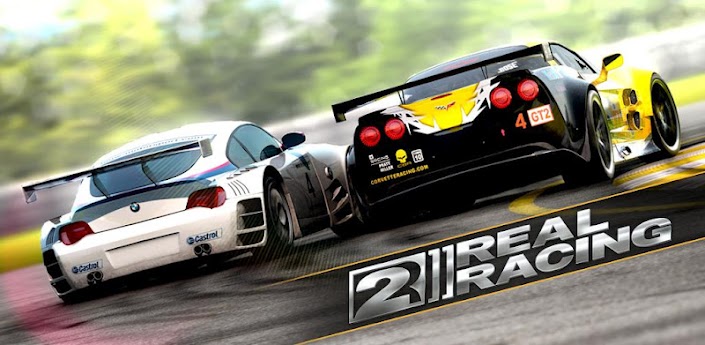
Today, I will be reviewing something I don't usually review... A game for a tablet/mobile. It is real racing 2 HD. first of all, as you have already guessed this is a racing game and is created by Firemit. so lets get into the review...

first of all the graphics on this game are spot on! the look incredibly great. the sound effects are also great and vary by car. another good feature is that when you get hit by a car that part of the car may start becoming loose and finally fall off. There are many cars to choose from but customization is something that lacks in the game. you can only change the color and some performance parts which don't affect the look of the car. Also the career mode is not the best either, you just keep earning money to get better cars to get to the world series. I would have enjoyed something a bit more, like sponsors.

however the racing experience on this is console quality (well almost) and with a lot of cars and races this game will definitely keep you playing for hours...

Sunday, November 18, 2012

Apple iPad mini


Apple has recently released the iPad mini, but this is quite shocking. 2 years ago when Steve Jobs was asked  why he did not manufacture a tablet to compete with the kindle and other smaller tablets he said that "Apple will never launch a smaller sized tablet" and also stated that the smaller sized tablets were confused ones as they were not in either place not as small as a smartphone and not as big as a laptop screen but were in the middle. Now, 2 years later Apple has launched the iPad mini. a 7.9 inch tablet.

specifications wise, the iPad mini has the exact same configurations as the iPad 2. However, the camera is upgraded to 5 megapixels. The iPad mini comes in colors similar to the iPhone 5 that is Black and slate or white and silver. The iPad mini starts form $329 and goes up to $659.

However, the smaller version of the tablet is an inch bigger then the current 7 inch tablets and also costs more. So will this device be a game changer like the iPhone or will it just be another device out in the market. But for now, all we can say is that this device's hardware and software are both really good and that only time will tell. Also, the iPad mini 2 (if that's what they will call the next one) is rumored to come out sometime in mid 2013 and will have some pretty good upgrades considering the iPad 4 has already come out. So, i would rather wait for the next generation of it. 

Thursday, September 20, 2012

Apple announces iOS 6.


Apple recently announced that they will be releasing the much awaited iOS 6 this week.

iOS or i operating system is an operating system created by apple. About twice a year apple releases a new, better one to upgrade their products such as iPhone and iPads .


One of the main highlights in iOS 6 is passbook.


With Passbook, you can scan your iPhone or iPod touch to check in for a flight, get into a movie, and redeem a coupon. You can also see when your coupons expire, where your concert seats are, and the balance left on that all-importantly coffee bar card. Wake your iPhone or iPod touch, and passes appear on your Lock screen at the appropriate time and place — like when you reach the airport or walk into the store to redeem your gift card or coupon. And if your gate changes after you've checked in for your flight, Passbook will even alert you to make sure you’re not relaxing in the wrong terminal.


Another very helpful feature is Siri


Siri has been there in the iPhone 4s but now it gets even better. Ask Siri for the scores of a match navigation while driving by voice, where are good movies currently going on. And now it supports dozens of languages like Italian, mandarin, Japanese and Spanish to name a few.

The new iOS also updates other apps such as maps, photos, safari, Face Time, and mail.


iOS 6 will support iPhone 3GS , iPhone 4 , iPhone 4s , iPod touch  4th generation, iPad 2 and iPad 3.

However Siri will only work with iPad 3 and iPhone 4s.


Galaxy y


Android is currently one of the most proffered mobile operating systems. Thus many companies are manufacturing android phones. Samsung has come out with and android phone which they claim is the cheapest android phone. The Samsung galaxy y. So let's go ahead and review it!

The galaxy y runs android gingerbread 2.3.6. It weighs roughly a 100 grams. Powering the phone is an 832 MHz processor. The phone features a 3 inch TFT capacitive touch screen. It has got 180 MB internal memory, however it is expandable to 32 GB. Don't expect the phone to be really fast and don't think multi-tasking would be easy. Hey, that's the world's cheapest android phone, what would you expect.

Being android powered you have many, many apps from the google play store to choose from. I forgot to mention the 2 MP camera. It's not great either, but is good enough to view them on your phone. This phone features Swype which is amazing. If you haven't heard of it it basically allows you to touch a letter on the keyboard and then trace its path along other letters in a continuos 'Swype' to complete a word. Tests say you can type 40 words a minute with this feature. Also, android phones are known for their endless customizing options. I actually made my galaxy y like a proper iPhone with lock screen, icons and all, which I will talk about later

 So to sum up, if you are on a really tight budget and you want something that runs android you should probably pick this one. There are some draw backs but the android OS will not disappoint you.This phone will set you back 7000 INR. And with our robust studio algorithm this phone scores a  7.5 on  10.

Wednesday, September 19, 2012

Lumia 710


                                                            Black cyan front             
Nokia has just entered the windows phone industry... Their newly launched Lumia series has got a fair bit of attention in the market. The Lumia 710 which costs about fifteen thousand is the product we are going to review today. its got a crisp looking 3.8 inch touch-screen display. the rounded edges fits nicely in your hands. the phone relies on the Zune software to sync files between you computer and you phone.its got a solid 1.4 GHZ processor running at the back. the phone weighs roughly 125 grams. the down point is that it has only 1 camera. the plus point is that it has got led flash and a 5mp camera which takes photos like this:

                                                
running on windows 7.5 it has all the games you could play on the xbox 360 and even runs them smoothly. however the marketplace where you can get apps does not have the best. contrasting to it nokia gives you free access to the nokia music store where you can download music for free! since it runs on windows OS, it even comes integrated with ms office 2007. now that is sweet! typing on the lumia is a breeze thanks to the nice touch-screen and more importantly the great keyboard. 

this phone costs about 15,000 INR. but with the new update to windows 7.8 and the Nokia music store it is worth every penny you spend on it. There are a lot of accessories which Nokia has made for the Lumia series which we will review soon...